Implementing milthm:// Protocol on Linux
Author: Canadew (chun-awa)
Introduction
The Milthm Deep Links reference defines a milthm:// URI scheme for triggering in-game actions from browsers and external apps. Current implementations handles this through the registry on Windows, Info.plist and Launch Services on macOS. But Linux lacks a proper implementation. This post describes the implementation of milthm:// protocol handling on Linux, covering freedesktop.org integration and IPC via Unix domain sockets.
The problem
Linux userland has no centralized URI scheme registry. The closest equivalent is Mime Types Registrations in the freedesktop.org Desktop Entry Specification:
The
MimeTypekey is used to indicate the MIME Types that an application knows how to handle. It is expected that for some applications this list could become long. An application is expected to be able to reasonably open files of these types using the command listed in theExeckey.
Mainstream desktop environments (e.g. GNOME and KDE Plasma) all respect this convention.
The harder part is IPC. When a user opens a milthm:// link, A handler binary (MilizeLauncher) launches with the URL as a command-line argument. That handler needs to forward the URL to the game process.
Choosing an IPC mechanism
Initially D-Bus is considered the best candidate as the "de facto standard" IPC method on modern desktop Linux, but I would rather not bother with that due to extra external dependencies introduced.
Finally I chose Unix domain sockets (AF_UNIX, SOCK_STREAM). Unix domain sockets map nicely to the existing IPCClient/IPCServer abstractions, which were originally built around Windows named pipes.
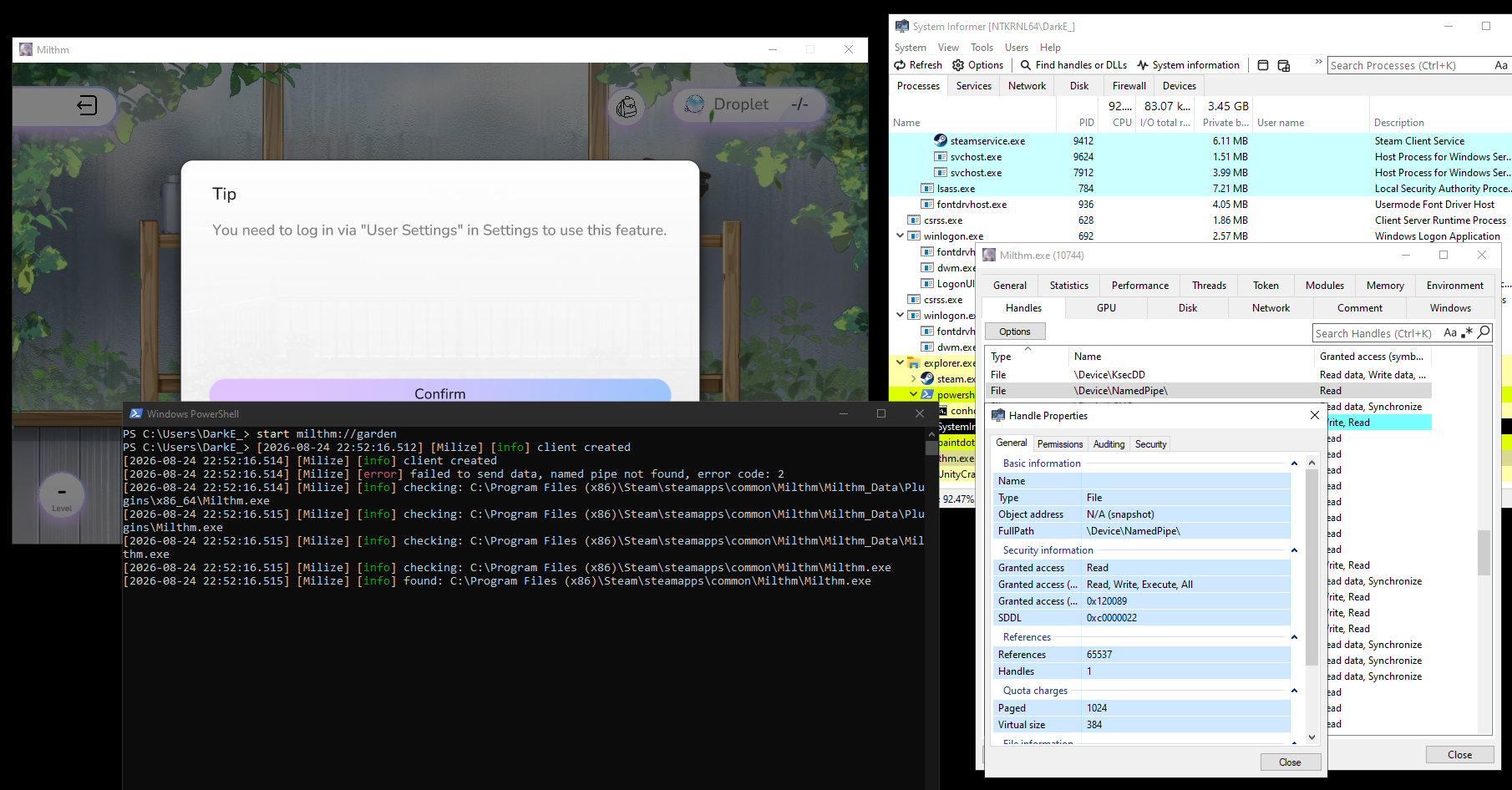 Demo on named-pipes-based IPC in Windows
Where to put the socket
Per the XDG Base Directory Specification:
$XDG_RUNTIME_DIRdefines the base directory relative to which user-specific non-essential runtime files and other file objects (such as sockets, named pipes, ...) should be stored.
Due to a limitation in Steam Runtime, /tmp/milthm_daemon_$UID.sock have to be used instead. Perfectly missed two standards so far. It still works, anyways.
Implementation
Socket server (game side)
The game creates the socket at startup:
listenFd_ = ::socket(AF_UNIX, SOCK_STREAM, 0);

// Remove stale socket file if it exists
::unlink(socketPath_.c_str());

struct sockaddr_un addr{};
addr.sun_family = AF_UNIX;
std::strncpy(addr.sun_path, socketPath_.c_str(), sizeof(addr.sun_path) - 1);

::bind(listenFd_, reinterpret_cast<struct sockaddr*>(&addr), sizeof(addr));
::listen(listenFd_, 5);
A listener thread loops on accept(). When a client connects, it hands a UnixSocketServerConnection to the registered callback.
Socket client (launcher side)
Connect, send, disconnect. The launcher's job is straightforward.
fd_ = ::socket(AF_UNIX, SOCK_STREAM, 0);

struct sockaddr_un addr{};
addr.sun_family = AF_UNIX;
std::strncpy(addr.sun_path, socketPath_.c_str(), sizeof(addr.sun_path) - 1);

::connect(fd_, reinterpret_cast<struct sockaddr*>(&addr), sizeof(addr));
If connect() fails with ENOENT or ECONNREFUSED, the game isn't running. Same fallback as on Windows: search parent directories for the game binary and launch it with the deep link payload as a command-line argument (see the PowerShell window on the screenshot above).
Registering the protocol handler
The protocol handler is registered by installing a .desktop file:
[Desktop Entry]
Type=Application
Name=Milize Launcher
Exec=/path/to/SteamLibrary/steamapps/common/Milthm/milthm_Data/Plugins/MilizeLauncher ipc scheme %u
NoDisplay=true
MimeType=x-scheme-handler/milthm;
After writing the file to $XDG_DATA_HOME/applications/:
xdg-mime default milize-launcher.desktop x-scheme-handler/milthm
update-desktop-database ~/.local/share/applications/
xdg-open milthm://index now invokes the launcher.
What happens end to end
flowchart TD
    A["User clicks milthm://index"]
    B["xdg-open dispatches to MilizeLauncher"]
    C["MilizeLauncher connects to Unix socket"]
    D["Success: sends message, exits"]
    E["Game is not running"]
    F["Search parent directories for 'milthm' binary"]
    G["Found: fork/exec with --mil-deep-link"]
    H["Not found: log error, exit"]

    A --> B
    B --> C
    C -->|Success| D
    C -->|ENOENT / ECONNREFUSED| E
    E --> F
    F -->|Found| G
    F -->|Not found| H
Try it
This feature was introduced in Milthm 5.2. You can test it with:
xdg-open "milthm://index"The socket shows up at /tmp/milthm_daemon_$UID.sock while the game runs and gets cleaned up on exit.
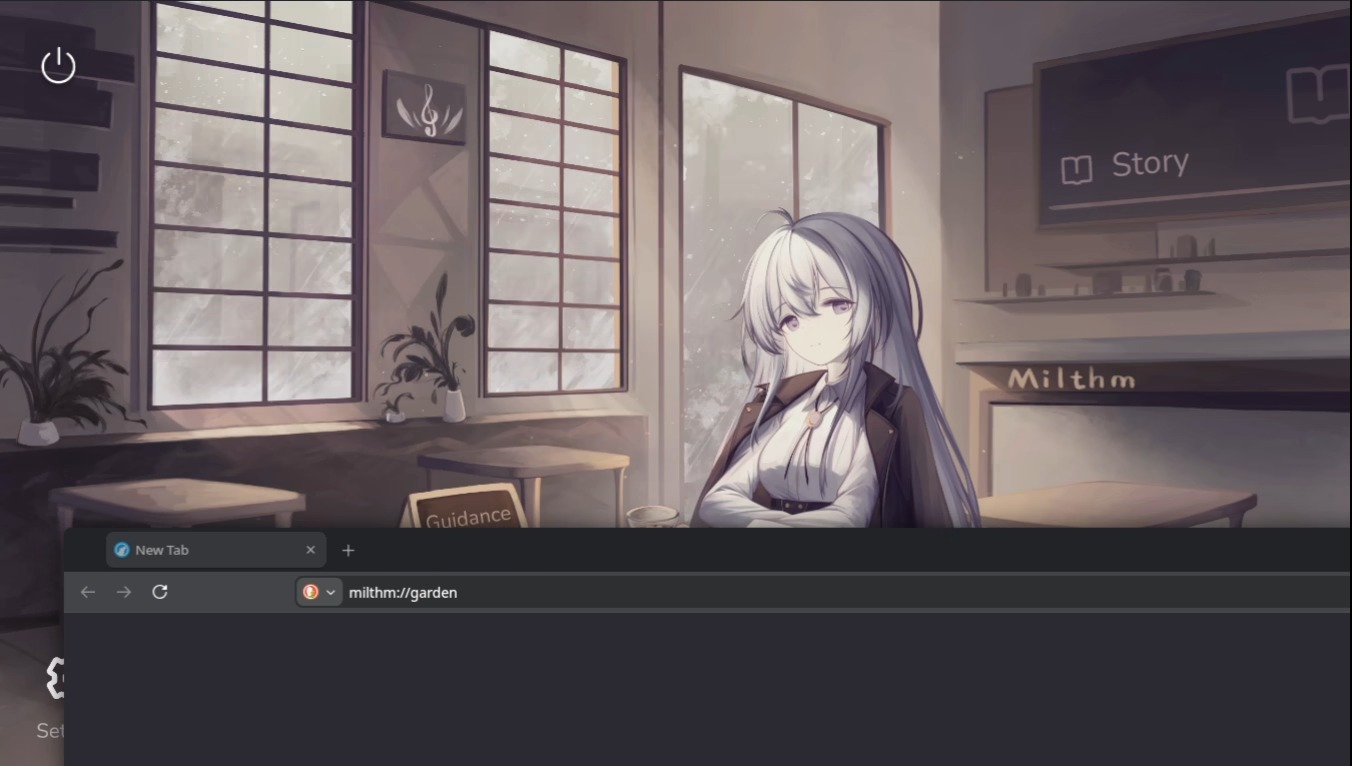
milthm://garden triggered from LibreWolf web browser